Clone a voice
Use a short reference recording to synthesize speech in the desktop Voice workspace.
Clone a voice from audio
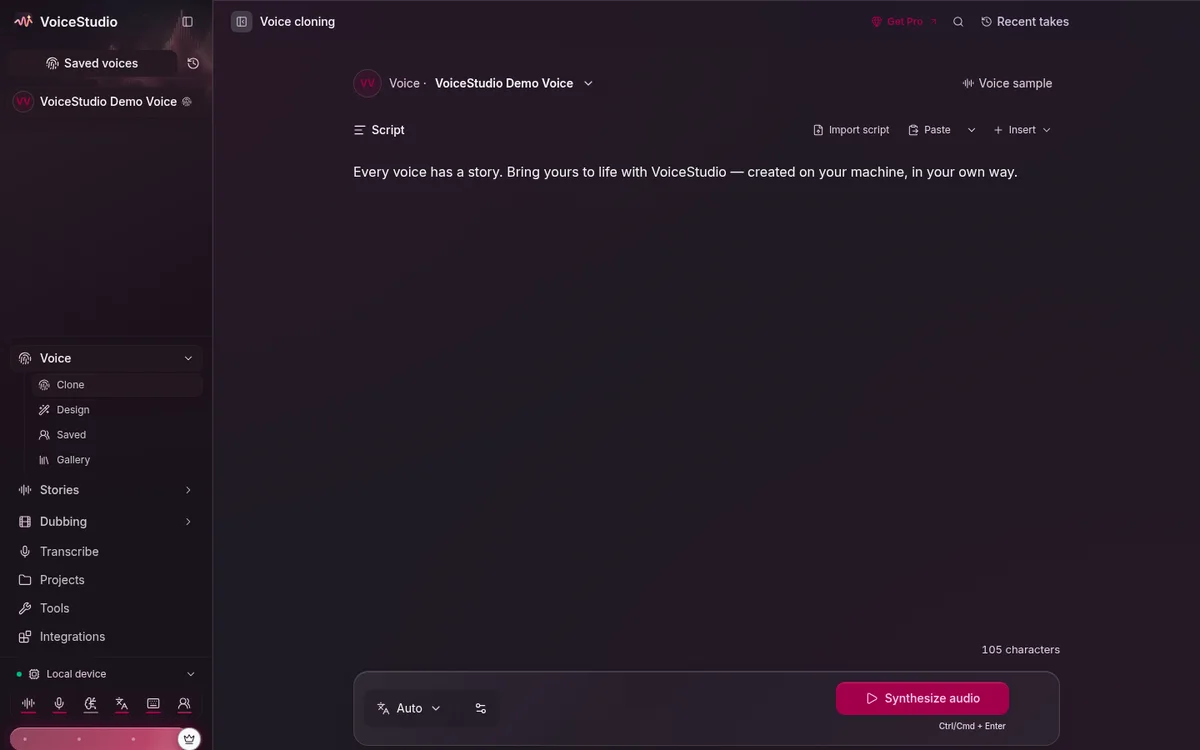
Open Voice and choose From audio. The left side defines the reference; the right side holds the script and generated result.
Use recordings you have permission to use
A voice can identify or impersonate a person. Get clear consent, protect the recording and profile, and disclose synthetic audio where appropriate.
1. Add a reference
Drop in an audio file, choose Upload, or record directly in the app. Start with 5–15 seconds of clean speech from one speaker. Avoid music, echo, clipped audio, and long silence.
If the panel offers Transcript, enter the exact words spoken in the sample. Some engines use it to align the reference more accurately.
2. Write and generate
- Enter the new words in Script.
- Choose the spoken language or keep Auto.
- Adjust style or production overrides only after a plain test succeeds.
- Select Synthesize Audio.
Compare the result for identity, pronunciation, noise, and pacing. A cleaner reference usually helps more than aggressive settings.
3. Reuse the voice
Choose Save as profile when you want the reference available in future sessions. Give it a recognizable name and keep the source recording private. Saved output remains available from History and production work appears in Projects.
Next: design a voice without a recording or use the Voice Gallery.