Design a voice
Create a new synthetic voice from a written description and refine its characteristics.
Design a voice
Open Voice and switch from From audio to By design. This workflow creates a voice from a description instead of copying a recording.
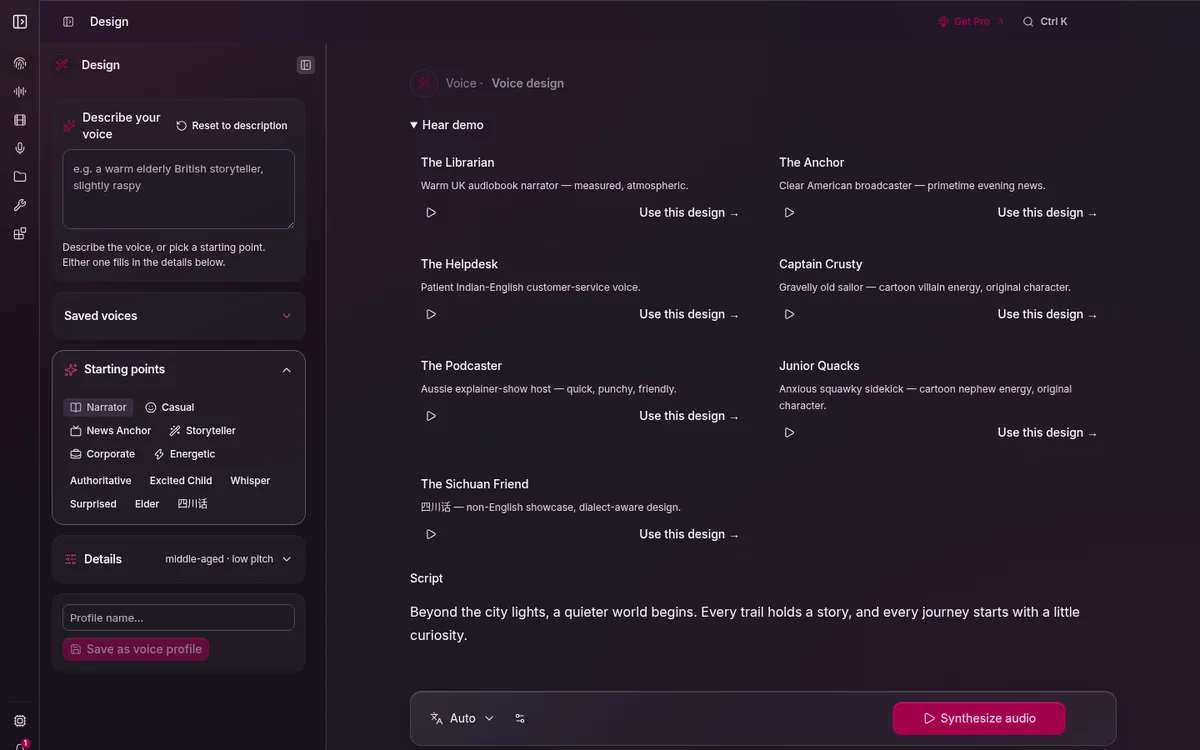
1. Describe the result
Choose a preset or use Describe your voice. Write observable traits such as age range, vocal weight, pace, accent, energy, and delivery context. For example: “Warm middle-aged narrator, measured pace, light rasp, conversational.”
Use the identity controls to refine the description. Change one dimension at a time so you can hear what helped.
2. Audition consistently
- Keep a short, representative test in Script.
- Select Synthesize Audio.
- Listen for intelligibility, stability, and fit—not only the first sentence.
- Keep the same seed while comparing nearby variations; change it when you want a genuinely different candidate.
3. Save the winner
Choose Save design profile, name the voice, and then select it from Voice, Stories, or Audiobook. Record the intended language and use in the name or notes when several people share a workstation.
Next: browse ready-made voices or cast a story.